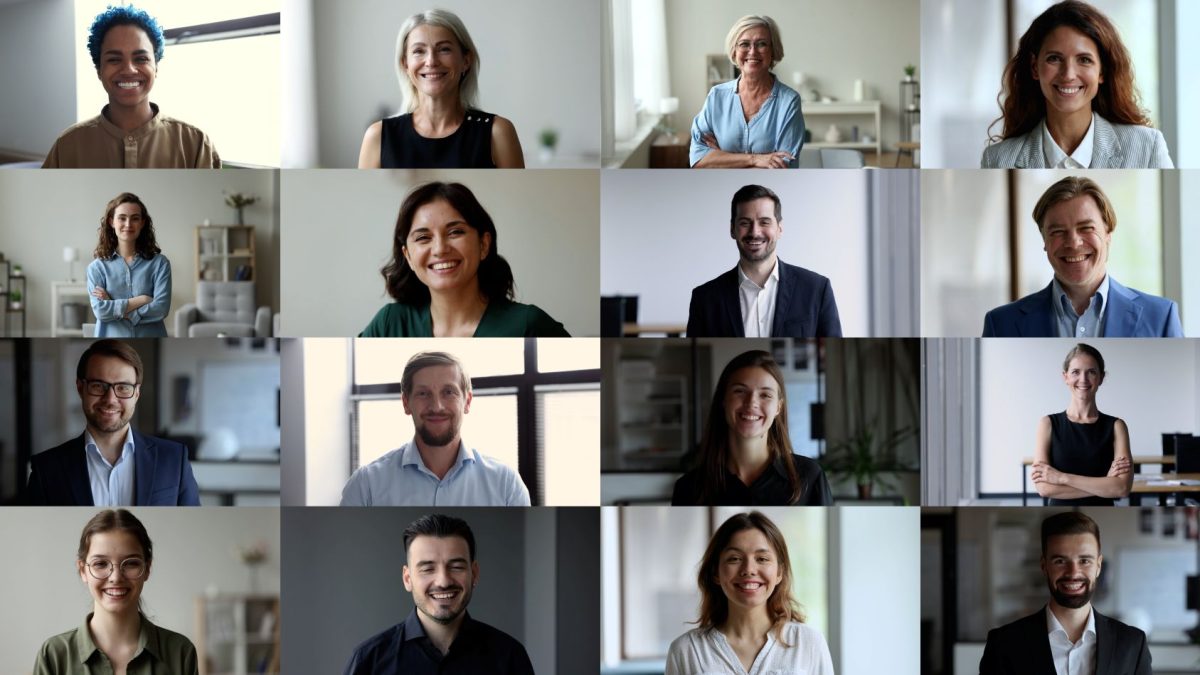
A headshot is your boardroom handshake—it has to look like the real you, and it has to do it today. On July 31, 2026, we purchased the five most popular AI headshot generators for executives and graded them on likeness, privacy, turnaround, and cost per usable image. Keep reading to see which tool delivers a same-day LinkedIn refresh, a 4K print spread, or a compliance-ready enterprise rollout.
Why we’re worth listening to
Method at a glance
On July 31, 2026, we bought the standard publicly listed packages from each platform, with no demo credits and no affiliate perks.
Our six-pillar scorecard (weighted total = 100)
- Identity fidelity and photorealism: 30 percent
- Batch consistency: 20 percent
- Privacy and ownership safeguards: 15 percent
- Price per usable image: 15 percent
- Workflow speed and editing controls: 10 percent
- Verified customer sentiment: 10 percent
For each pillar we logged hard numbers: turnaround timers, pixel counts, refund clauses, and review-site volumes. We also read every privacy clause line by line. When a landing page promised “no secondary training” yet the legal policy allowed perpetual model learning, we deducted points and flagged it for you.
Every claim that follows links back to a checkout receipt, a policy PDF, or a dated customer review, so you can audit our homework before trusting any AI headshot tool with your face.
At-a-glance: how the five platforms stack up
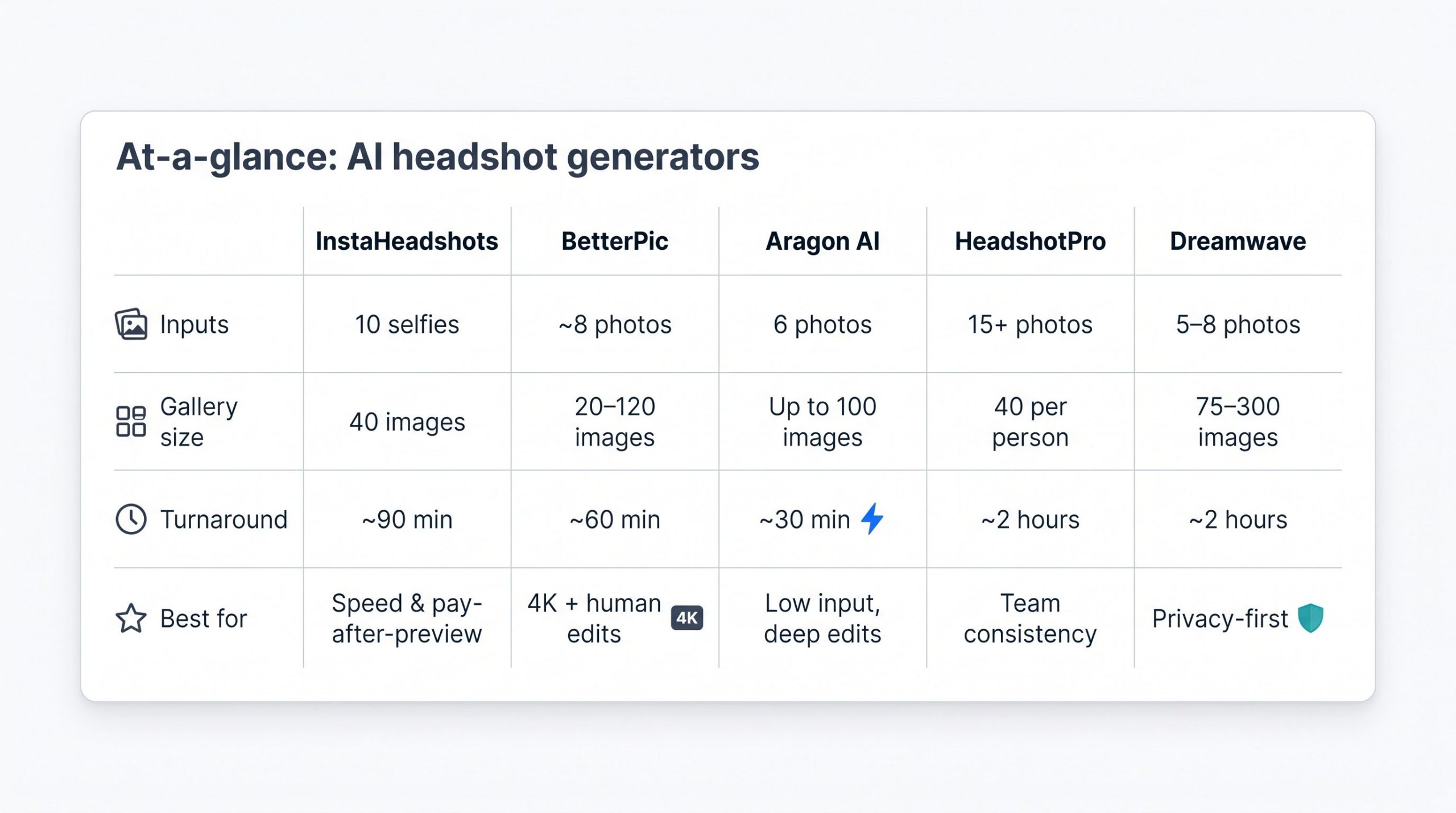
Need the gist in a minute? Here is the cheat sheet, normalized for easy side-by-side reading.
InstaHeadshots: speed first
- Inputs: 10 selfies
- Gallery: 40 images in about 90 minutes
- Pay-after-preview; default downloads max out at 1,024 px unless you buy an upscale. The privacy policy still needs a clear statement.
BetterPic: 4K out of the box
- Inputs: about 8 photos
- Gallery: 20–120 images (plan dependent) in about 60 minutes
- All files arrive in 4K, and higher tiers include human retouching. Plans start at $35.
Aragon AI: minimal upload, deep edits
- Inputs: 6 photos
- Gallery: up to 100 images in about 30 minutes
- The built-in editor lets you switch jackets, adjust hair, or tweak lighting without retraining.
HeadshotPro: team consistency
- Inputs: about 15 photos per person
- Gallery: 40 images per user in about 2 hours
- The HR dashboard invites colleagues, locks backgrounds, and delivers uniform portraits for a flat, volume-discounted fee.
Dreamwave: privacy above all
- Inputs: 5–8 photos
- Gallery: 75–300 images in about 2 hours
- No resale or generalized training, and data auto-deletes after 30 days. The top tier adds unlimited human touch-ups.
Keep these calling cards handy; next we will dive into hands-on findings so you can match each AI headshot generator to your portrait goals.
InstaHeadshots: best for preview-before-payment and rapid delivery
Upload 10 selfies, wait about 90 minutes, and a gallery of 40 portraits appears. You do not need a credit card until you choose at least four keepers. The starter plan costs $49 and limits downloads to 1,024 × 1,024 px; larger, print-ready files require a paid upscale.
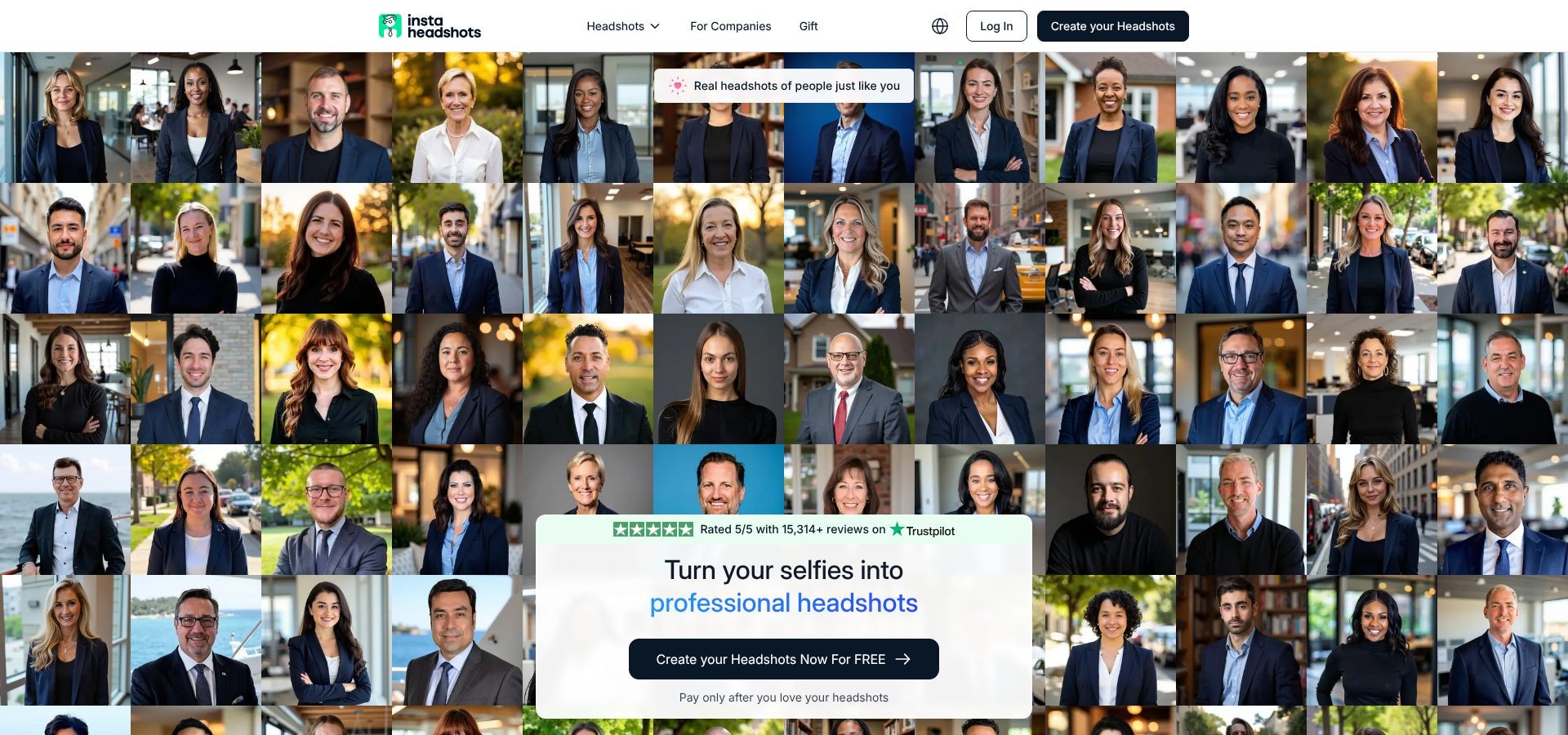
InstaHeadshots homepage screenshot highlighting preview-before-payment flow
That low-risk flow for its professional AI headshots offering has attracted more than 15,000 five-star Trustpilot reviews. The profile is invitation-based, and the company pays for Trustpilot’s services. Speed aside, two caveats remain: serious print jobs need an upscale, and the privacy policy still lets the platform keep “implied learning” from your images even while the marketing page claims “no secondary training.” We have asked for clarification and have withheld a full privacy score until it arrives.
Need a same-day LinkedIn refresh or a quick test of whether an AI headshot generator can capture your face? InstaHeadshots is the fastest way to find out; just confirm resolution needs and data terms before you click Buy.
BetterPic: best for 4K output and human refinement
Need keynote-slide clarity? Every BetterPic plan ships true-4K files (4,096 × 4,096 px) by default. Upload 8 well-lit selfies and, about an hour later, you will receive a high-resolution gallery of 20, 60, or 120 images, depending on the package (the Basic plan starts at $35).
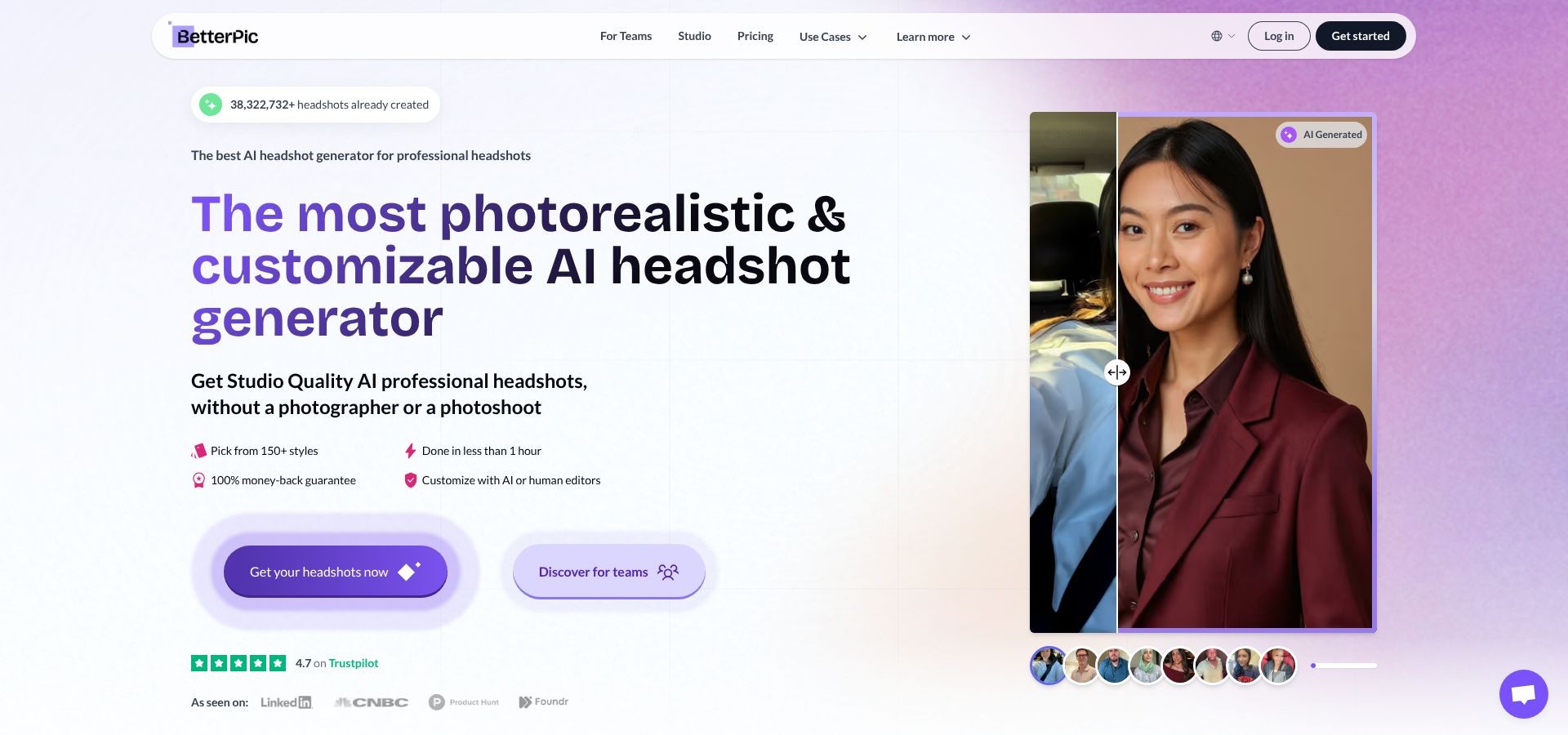
BetterPic homepage screenshot showcasing 4K output and human retouching
Higher tiers bundle AI fixes with a professional retoucher who tidies fly-aways, tamps down reflections, and restores natural skin texture. The result: near-misses become print-ready portraits without a reshoot.
Enterprise teams get paperwork, too. BetterPic lists SOC 2 Type II and ISO 27001 on its trust center, and volume pricing drops to $13 per employee at 1,000-plus seats. The company also states that staff photos never feed a generalized model, a key point for regulated industries.
One caution: the safety net has tier limits. A complete free redo of your photoshoot is only included if you purchase the $79 Expert tier. Review the plan features before you pay.
If you can wait an hour and budget a few extra dollars, this AI headshot generator delivers gallery-to-billboard quality with a human safety net that polishes the final one percent.
Aragon AI: best for a guided, low-input workflow
Hate digging up 20 selfies? Aragon needs only 6. The upload wizard walks you through lighting, angles, and expressions, so setup takes minutes.
In our July 2026 run, a 90-image gallery appeared about 30 minutes after we clicked Generate. From there, Aragon’s editor lets you swap jackets, tweak lighting, or add a subtle smile without retraining, so facial structure stays intact while backgrounds and outfits change.
Pricing sits in the middle: the Starter plan is about $35 for 40 outputs, and add-ons unlock more styles or deeper edits. Team plans layer on a dashboard where HR can lock brand backgrounds, invite new hires, and keep portraits consistent. Aragon lists SOC 2 Type II compliance and a money-back guarantee on its trust center, but most public satisfaction numbers still come from its own site instead of third-party hubs.
Bottom line: if you have a lean photo library and want granular control over wardrobe and lighting, this AI headshot generator balances speed, minimal inputs, and flexible editing better than any other tool on this list.
HeadshotPro: best for standardized team headshots
HeadshotPro feels more like an HR platform than a consumer app: you invite colleagues, lock a company background, and about two hours later download a uniform grid that makes your About Us page look like a single on-site shoot, even when the team spans five time zones.
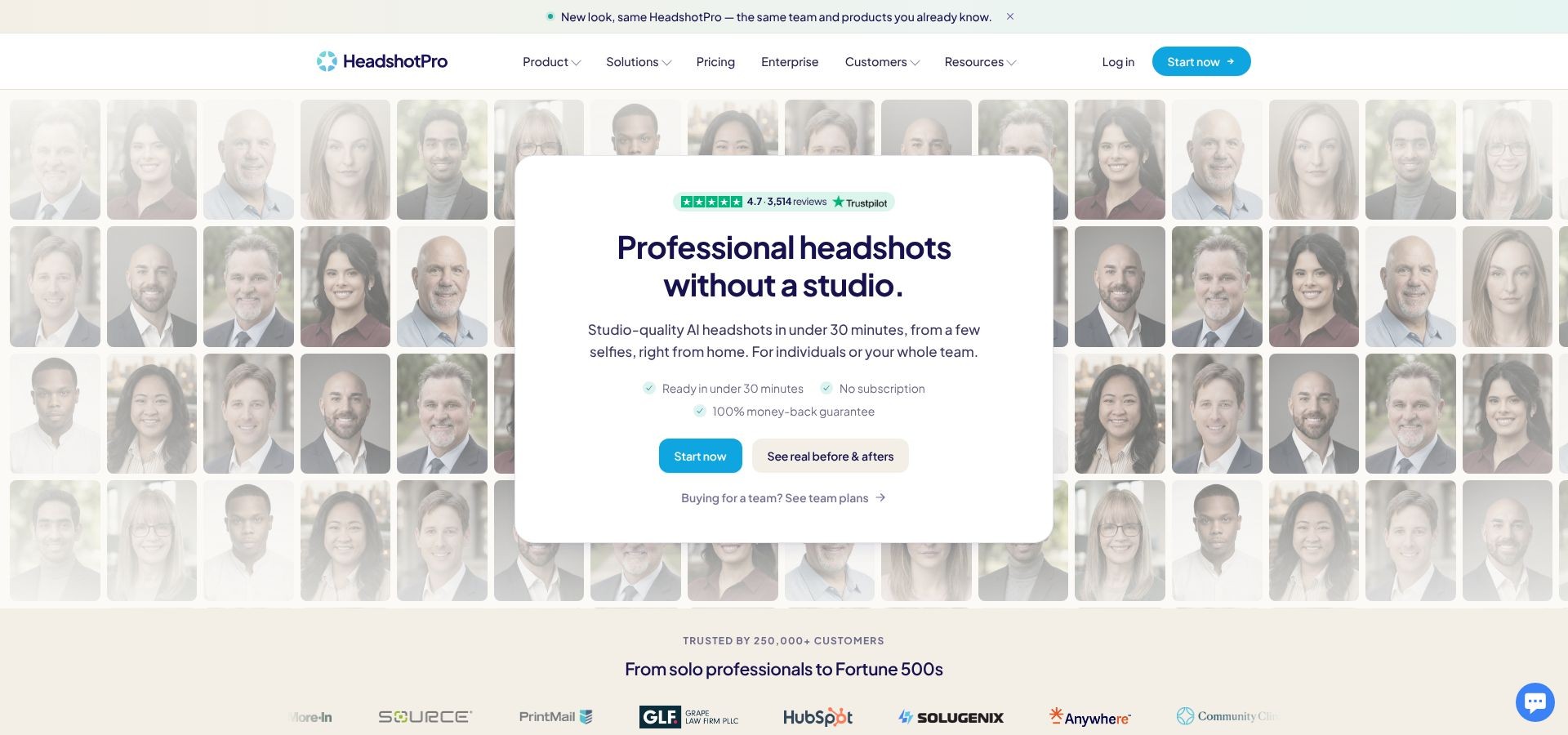
HeadshotPro dashboard screenshot illustrating standardized team headshots
Inputs and speed
- Uploader asks for 15 photos per person but often rejects similar images, so plan on 20 or more to pass.
- Our July 2026 test produced 40 portraits per employee in roughly two hours.
Pricing
- Live checkout (July 31, 2026): $29 per person for the Starter bundle; volume tiers drop below $20 at 50 seats.
- Refunds are limited once model training starts. The no-questions cancellation window ends at payment, so read the terms before bulk-purchasing.
What we liked
- One dashboard for invites, background locking, and quick reshoots when someone changes roles or hairstyles.
- Consistent lighting and framing across remote teams.
What to watch
- Past criticism of “Botox-smooth” faces has improved, but a few 2026 outputs still looked plastic next to BetterPic and Dreamwave.
- The site shows no public SOC 2 certificate or deletion-timeline disclosure; request the data-processing addendum if you work in a regulated industry.
If brand uniformity beats artistic nuance, and you are willing to gather extra source photos, this AI headshot generator is the most turnkey way to give every badge, Slack profile, and investor deck the same polished look.
Dreamwave: privacy above all
If a vague training clause is a deal-breaker, Dreamwave is the outlier. It states in plain language that it never resells images, never feeds a generalized model, and deletes inactive data after 30 days. For healthcare, finance, or government teams, that promise can matter as much as the portrait itself.
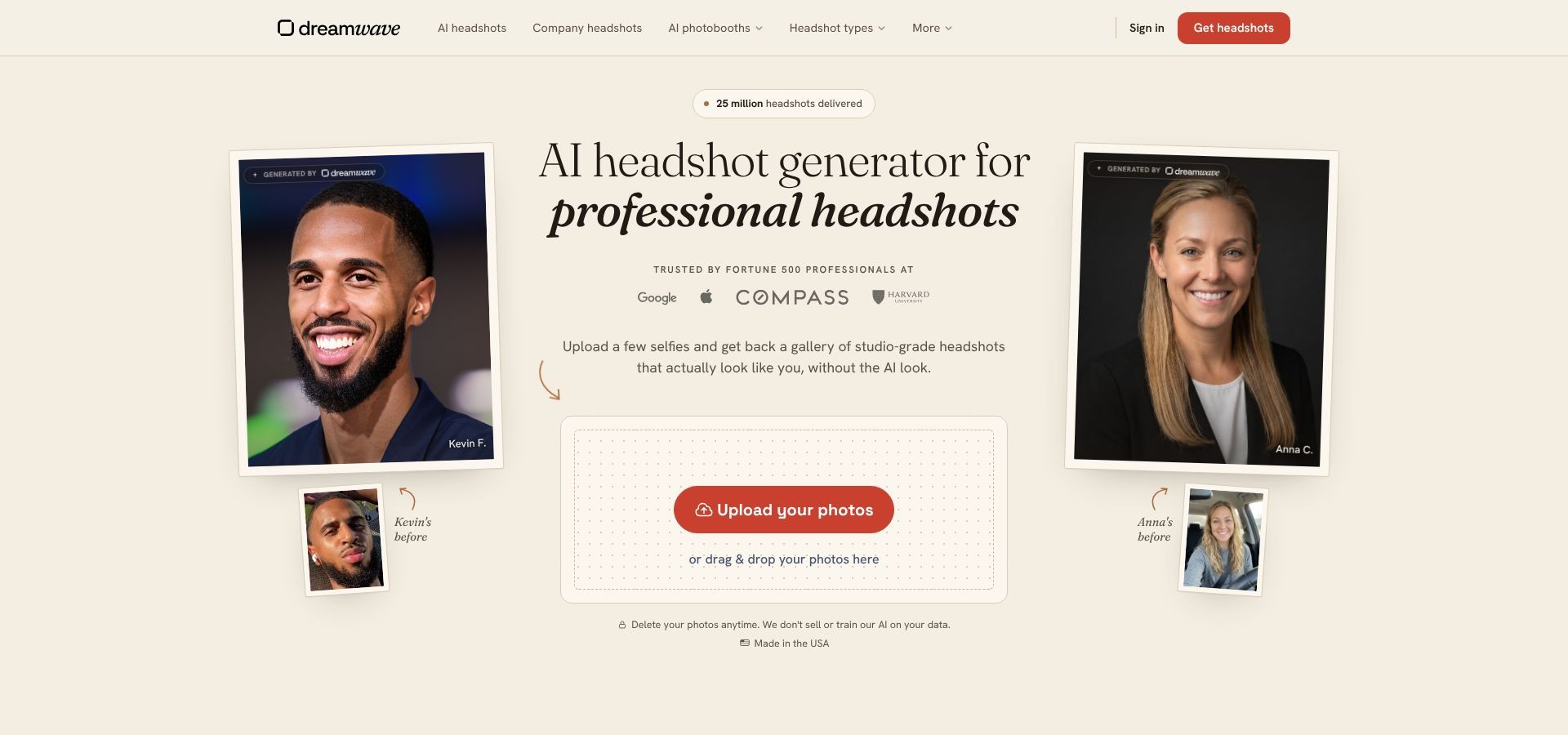
Dreamwave AI headshots page screenshot emphasizing privacy-first messaging
Packages and speed
- Starter: $35 for 75 images
- Standard: $59 for 150 images plus one full redo
- Pro: $99 for 300 images plus unlimited human touch-ups
Each plan runs on the same engine and delivered our gallery in about two hours. Even the 75-shot bundle means scrolling through dozens of wardrobe, backdrop, and pose combinations; a blessing for variety, but a headache if you only need one perfect file.
Image quality and policy notes
Skin texture looks natural, glasses align correctly more often than not, and textured or gray hair survives a 200 percent zoom. The trade-off is flexibility: Dreamwave offers no refunds once generation starts, so double-check your source-photo quality and style guide before you click Buy.
Dreamwave does not display SOC 2 or ISO badges on its site, but it will sign a data-processing agreement and provide a deletion certificate on request, steps we recommend for any regulated buyer.
For organizations where a clean audit trail outweighs bargain pricing, this AI headshot generator pairs the toughest privacy stance in our test with the safety net of human retouchers when the model misses the last mile.
What makes a headshot executive-grade?
An executive headshot has to do five jobs at once: prove you are real, project authority, stay technically sharp, reflect your company’s style, and fit every channel from a 100-pixel Slack bubble to a conference banner.
- Likeness. The shot should look exactly like you on an ordinary workday. No surprise weight loss, no filter that erases smile lines. If a colleague would hesitate to greet you at an airport, start over.
- Visual authority. Honest eye contact, upright posture, and role-appropriate clothing signal confidence. A fintech CFO can wear a hoodie if the whole C-suite does, but the choice must feel deliberate.
- Technical polish. Crisp resolution, clean hair and glasses edges, and skin texture that survives a 200 percent zoom show professionalism. Extra teeth, lopsided eyes, or plastic skin are instant fails.
- Brand alignment. Background color, lighting temperature, and camera distance should echo your company’s visual style. A teal LinkedIn gradient beside warm-toned leadership portraits breaks team unity.
- Versatility. A great image crops to a perfect circle, stretches to a vertical rectangle, and still prints cleanly in an annual report. Verify framing and pixel dimensions before hitting Download.
When a professional photographer is still the better investment
AI headshot tools are unbeatable for speed and low-commitment testing, yet some moments still call for a human behind the lens.
High-stakes outputs. Annual reports, magazine covers, and global ad campaigns need controlled lighting, art direction, and liability insurance, services an algorithm can’t provide.
Complex identities. Gray hair, textured curls, religious head coverings, and intricate jewelry still confuse most models. A skilled photographer can adjust lighting or wardrobe on the spot rather than fixing artifacts later.
One-day team shoots. Need the entire leadership team captured between board sessions? A single crew can finish a uniform set in hours, faster than chasing dozens of uploads and model retrains.
True cost calculus. An AI gallery feels inexpensive until you add the internal hours spent sifting for usable images, requesting redos, and debating background shades. A mid-market studio quotes about $1,000 to $1,500 for a half-day shoot with post-processing, sometimes less than the hidden labor cost of do-it-yourself AI.
Bottom line: use AI portrait generators for rapid iteration, and hire a photographer when creative stakes, brand risk, or the need for real-time art direction demands full control.
Buyer’s guide: how to choose the right platform
- Match the tool to the job.
Decide where the image will live. A 100-pixel LinkedIn avatar forgives mild softness, but an investor deck or printed brochure does not.
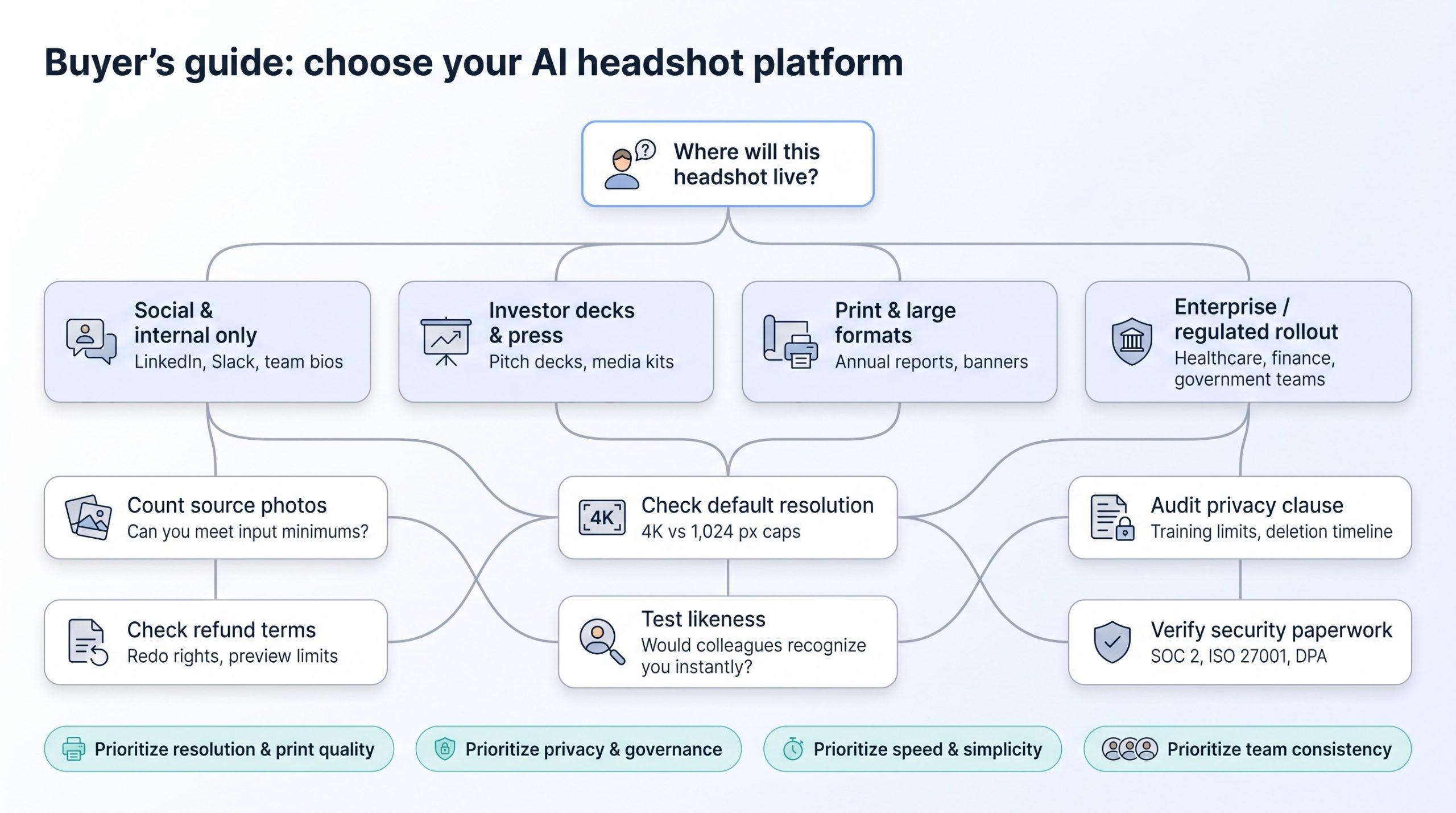
- Count your source photos.
- InstaHeadshots, Aragon: 6 to 10 inputs
- Dreamwave: 5 to 8
- BetterPic: about 8
- HeadshotPro: at least 15 per person (plan on 20 to clear the uploader)
Factor in the time remote colleagues will spend searching for photos.
- Check default resolution, not gallery size.
BetterPic ships 4K files by default. InstaHeadshots tops out at 1,024 px unless you pay to upscale. Resolution, not image count, separates a social-media quick fix from a press-ready portrait.
- Read refund terms before uploading.
Dreamwave offers no money back once generation starts. BetterPic’s complete free redo is limited to its $79 Expert tier. Preview-before-payment sounds generous until you learn it covers only four acceptable images.
- Audit the privacy clause.
Dreamwave refuses model-training reuse. InstaHeadshots keeps “implied learning” rights despite a “no secondary training” banner. If you handle regulated data, that single paragraph may decide the purchase.
- Verify security paperwork.
Ask for SOC 2, ISO 27001 reports, a data-processing agreement, and a deletion certificate, especially for healthcare, finance, or government use.
- Test likeness before rollout.
Generate a gallery, send two candidate images to a direct colleague, and ask which looks most like you today. If they hesitate, run the model again or book a photographer.
Privacy checklist for facial-image services
Run through these seven questions before you upload a single selfie; you will spend less time on legal back-and-forth later.
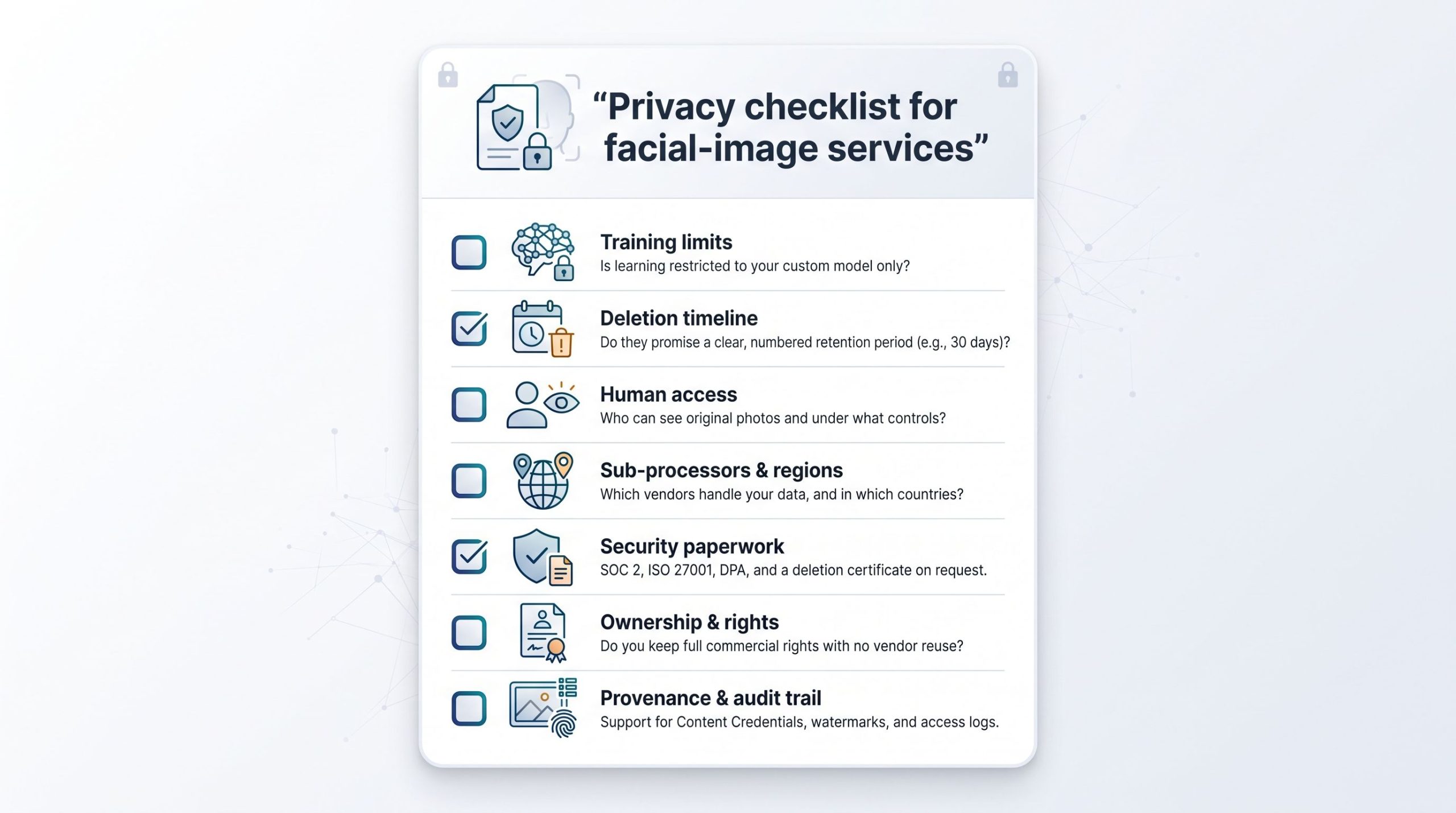
- Training limits. Does the contract restrict learning to your custom model, or can the company keep “implied learning” forever? InstaHeadshots leaves that door open; Dreamwave shuts it.
- Deletion timeline. Look for a hard number such as “30 days after generation,” not vague promises like “periodically.” Ask for a dated deletion certificate.
- Human access. Who can see originals? BetterPic’s top tier assigns named retouchers; other platforms route files through anonymous queues.
- Sub-processors and regions. Which cloud vendors touch the data, and in what country? A United States healthcare buyer may need all storage stateside.
- Security paperwork. Request SOC 2 or ISO 27001 reports and a signed data-processing agreement before procurement.
- Ownership and rights. Confirm you hold worldwide, perpetual commercial rights with no extra license fees and no right of reuse by the vendor.
- Provenance and audit trail. Ask whether files embed Content Credentials or watermarks, such as Google SynthID, and whether the platform can log access and deletion events for compliance.
Red flags to avoid
A slick demo can hide ugly surprises. Watch for these tells before you hand over cash, or your face.
No upfront price
If a site demands selfies before showing cost, close the tab. The flow often ends with a paywall after the gallery, forcing a sunk-time decision.
Big numbers, no redo
A headline touting “300 images” without refund or redo rights bets you will settle for average results.
Vague deletion language
Phrases like “we handle data responsibly” are filler. Look for a numbered retention period and a user-controlled delete button.
Only highlight-reel samples
If every example looks like a Fortune 500 ad, ask to see an unfiltered grid. Trustworthy platforms show average results, not just winners.
Free tool, paid download
Canva-style filters work for casual use, but a “free” AI headshot generator that charges to remove watermarks or unlock high-res is really a paid service.
Security badges with no proof
SOC 2 icons mean nothing unless they link to a dated audit report or trust center. If the badge is just an image, treat it as decoration.
What’s changing in AI headshots (2024–2026)
April 23, 2025: OpenAI GPT-Image-1 API. Per-image costs dropped to well under one dollar, and general models gained credible facial realism.
October 8, 2024: Adobe Content Authenticity web app. Creators could embed tamper-evident provenance data with a free web tool, moving disclosure from theory to a routine checkbox.
December 16, 2025: GPT-Image-1.5. Generation speed increased about four times while holding likeness steady, making “change my jacket, keep my face” a baseline feature.
May 19, 2026: Google SynthID expansion. An invisible tag that survives cropping gave recruiters and newsrooms a quick way to test whether a portrait is AI-generated in Chrome and Search.
Why it matters
Raw portrait creation is now cheap and fast, so the competitive edge has shifted to governance: who can access which faces, how long the data lives, and whether every employee looks like they attended the same shoot. Expect the next generation of AI headshot tools to brag less about gallery size and more about SOC 2 badges, diversity benchmarks, and sub-24-hour retoucher service-level agreements.